I knew it! I knew I would love this Architectural Design profession. How silly of me for never tried this in depth until very recently!
Here is Mylo Elbanza.
Before
After
Before
After
Those screenshots were taken during his last 2 renovation jobs. After that he was titled as The most talented Architectural Designer in Sunset Valley!
It has been a joy to redesign townie's houses.
Here are some of earlier changes Mylo had make for his neighbours:
renovated bedroom
built a swimming pool and refurished living area, bedroom
new laundry room
renovated 2 bedrooms
redecorated sitting room for bookworm sim
I took Mylo Elbanza to Egypt on his first day, and too sad to confirm the in game camera (photography skill to be specific) is still bugged in my game (will update the latest patch soon, see if that will be solved) :-( oh well... I am glad the screencapturing option "C" button still works from taking captures at least.
Egypt world landmarks are visually stunning.
Showing posts with label insight. Show all posts
Sunday, 7 August 2011
Being an architect
Labels:
captures,
gameplay captures,
insight,
re-creating,
The Sims 3
Thursday, 3 February 2011
Something we don't have but other players' have.
It can happens a lot, when you downloaded a house from any simmer's studio. When you use the house in game, you realised some furnitures seems a bit strange in the house, either in wrong position or looking out of place. That is because you don't have the store/EP/SP items in your game while the house's creator has in theirs. The Sims 3 automatically replaces those missing items from items our game has.
But it's easy for us to replace those items again if we try. Especially those simmers who took captures of their uploaded houses and blog them.
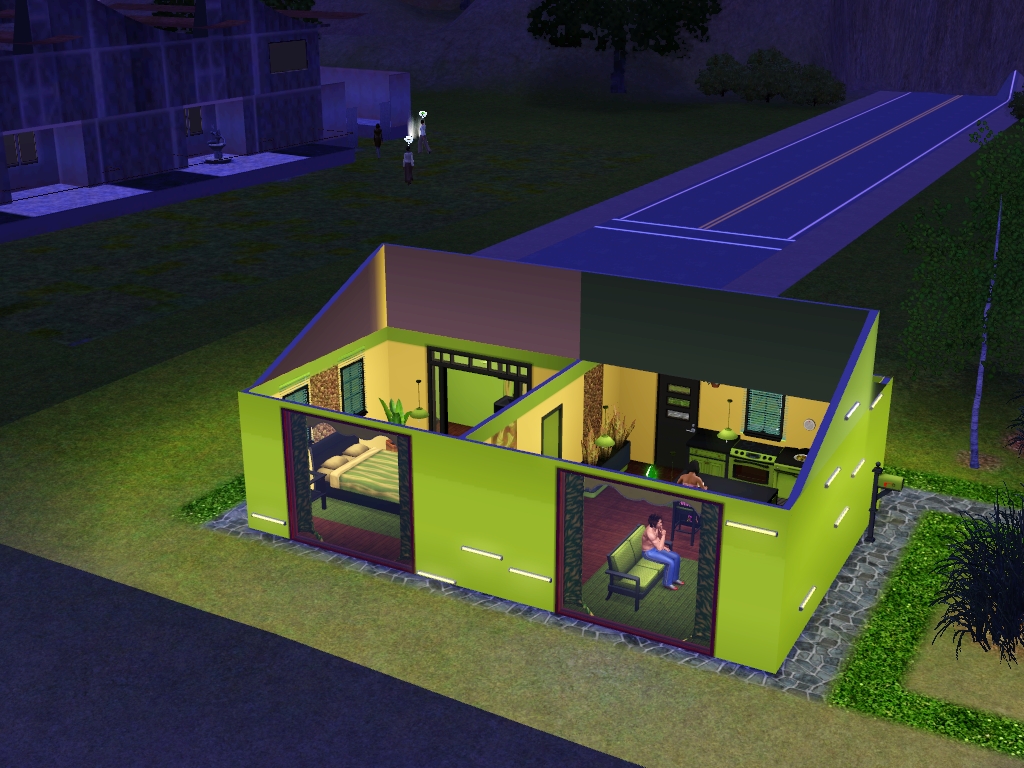
For example this Lime (starter house) from Imoger :
http://www.thesims3.com/assetDetail.html?assetId=3650966
I downloaded and installed it in game, this is how it looked like in my game (as I don't have those listed store items)
This is after I replaced those "missing store items"
As you can see, it's quite easy to replace those items and give the house the same feeling as the original house's photos shown on creator's blog. So please don't feel discouraged when you want to download a house but stopped just because you see that house has store/EP/SP items you don't have :-) Give it a bit make over, that's all it will need!
Happy Simming, guys and girls~
But it's easy for us to replace those items again if we try. Especially those simmers who took captures of their uploaded houses and blog them.
For example this Lime (starter house) from Imoger :
http://www.thesims3.com/assetDetail.html?assetId=3650966
I downloaded and installed it in game, this is how it looked like in my game (as I don't have those listed store items)
This is after I replaced those "missing store items"
As you can see, it's quite easy to replace those items and give the house the same feeling as the original house's photos shown on creator's blog. So please don't feel discouraged when you want to download a house but stopped just because you see that house has store/EP/SP items you don't have :-) Give it a bit make over, that's all it will need!
Happy Simming, guys and girls~
Subscribe to:
Posts (Atom)